Android Flashlight Permission: Does setTorchMode Need CAMERA?
TL;DR
- No. On Android 6.0+,
CameraManager.setTorchMode()turns on the flashlight withoutCAMERApermission. - Flashlight apps that ask for
CAMERAusually do so for legacy Android 5.x support, extra features like QR scanning, or overreach. - On Android 12+, a green privacy dot when the flashlight turns on means the app is accessing the camera.
- Safe-Life's flashlight uses only the auto-granted
FLASHLIGHTpermission and never requestsCAMERA.
Have you ever wondered why a flashlight app requests camera permission on your smartphone? It's a simple feature that turns on a light-why does it need access to your camera?
In this article, we'll answer this question based on Android platform hardware architecture, official API design, and legal standards in Korea, the US, and Europe-without exaggeration or speculation. Finally, we'll explain how the Safe-Life app uses permissions transparently.
The Relationship Between Flashlight and Camera Hardware on Android
On Android smartphones, the LED flash used for the flashlight is not an independent device. The LED flash is a hardware component included in the camera module. According to the Android Open Source Project (AOSP) Camera HAL documentation, it is defined as "the flash unit associated with a given camera ID"1.
This architecture applies consistently across most Android manufacturers, including Samsung, LG, and Google Pixel2. In other words, accessing the camera hardware to turn on the flashlight is a technical requirement stemming from Android's design structure.
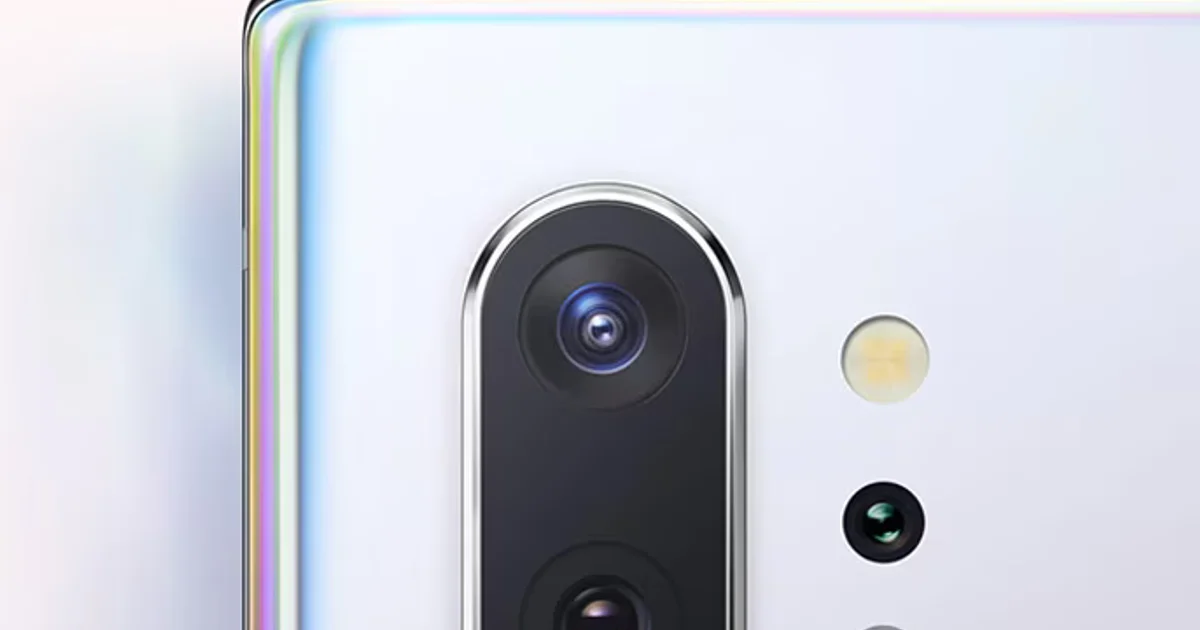
How Your Phone Turns On the Flashlight
What happens when you turn on the flashlight on your smartphone?
- The flashlight app asks the Android system to "turn on the flash"
- The Android system controls the flash through the
CameraManagerAPI3 - The LED flash attached to the camera module turns on
The key point here is step 2. Since Android 6.0 (API 23), Android provides the CameraManager.setTorchMode() method, which can control the flash without opening the camera device, but it still operates through the camera management system3. It's not taking photos, but it needs to access the camera hardware.
Does Flashlight Need Camera Permission?
Many flashlight apps request camera permission. Surprisingly, camera permission is not technically required.
There IS a Dedicated Flashlight Permission
Android has both android.permission.FLASHLIGHT permission and android.permission.CAMERA permission4. The two permissions have different protection levels:
- FLASHLIGHT permission: Normal protection level - automatically granted at installation
- CAMERA permission: Dangerous protection level - requires explicit user approval5
Modern Approach: No CAMERA Permission Needed
On Android 6.0 (API 23) and above, the CameraManager.setTorchMode() method can control the flash without CAMERA permission3.
In AOSP's CameraManager.java, openCamera() carries @RequiresPermission(android.Manifest.permission.CAMERA), while setTorchMode() has no @RequiresPermission annotation. This means the API does not require CAMERA permission. The snippets below show only the two signatures, with the bodies left out.
// Signature from CameraManager.java (API 23+, body omitted) public void setTorchMode(String cameraId, boolean enabled) throws CameraAccessException { // no @RequiresPermission annotation }In contrast, the openCamera() method explicitly requires CAMERA permission:
@RequiresPermission(android.Manifest.permission.CAMERA) public void openCamera(String cameraId, ...) { // Requires CAMERA permission }Why Do Some Flashlight Apps Request Camera Permission?
Despite camera permission being technically unnecessary, many apps still request it for these reasons:
-
Legacy API Support (Android 5.x and below)
- Android versions below 6.0 require Camera1 API, which needs CAMERA permission
- Apps support older devices by requesting permission
-
Additional Features
- QR code scanning
- Photo capture
- Magnifier functionality
-
Excessive Permissions
- Developer's incorrect implementation
- Data collection purposes
- "Just in case" defensive coding
Important points:
- Flashlight functionality itself does not require CAMERA permission
- Granting camera permission doesn't automatically mean photos are being taken
- What a flashlight app actually does depends on the app's code
- That's why choosing a trustworthy app that follows the principle of least privilege is important
App Permissions and Privacy Protection: Legal Standards
While the flashlight function itself is simple, the term camera permission can cause user confusion or concern. That's why each country and platform requires a clear explanation of permission usage purposes, regardless of actual feature usage.
South Korea: Personal Information Protection Act
The Personal Information Protection Act of South Korea, Article 3 (Obligations of personal information processors) and Article 15 (Collection and use of personal information), require clear notification of purposes when using permissions that may be associated with personal information6.
Additionally, according to the Korea Communications Commission's 'Smartphone App Access Permission Privacy Protection Guidelines' (2017), app service providers must clearly distinguish between essential and optional access permissions and inform users7.
United States: Google Play Policy
Google Play's User Data policy requires apps to disclose how they access, collect, use, handle, and share user data8. Additionally, the Permissions and Sensitive Information policy states that "Apps may only request permissions and APIs that access sensitive information that are necessary to implement current features"9. Apps that excessively request permissions unrelated to their functionality are regularly removed.
European Union: GDPR
The EU General Data Protection Regulation (GDPR) specifies:
- Purpose Limitation Principle (Article 5(1)(b)): Personal data shall be collected for "specified, explicit and legitimate purposes" and not further processed in a manner incompatible with those purposes10.
- Information Obligation (Article 13): Data controllers have an obligation to inform data subjects (users) about the processing of their personal data11.
Flashlight App Privacy Breach Case Study
In December 2013, the US Federal Trade Commission (FTC) discovered that "Brightest Flashlight Free," downloaded tens of millions of times worldwide, transmitted users' precise location information and unique device identifiers to third parties including advertising networks without user consent1213.
In Korea, in November 2014, it was reported that a flashlight app used by over 10 million people secretly collected smartphone location information14 and transmitted SIM card unique numbers and personal schedules to overseas advertising marketing company servers15. This incident became a representative case showing why app permissions matter.
To prevent this, Korea added Article 22-2 (consent to access rights) to its Network Act in March 2016, requiring apps to tell users which access permissions are essential and which are optional and to get consent16. The 2017 'Smartphone App Access Permission Privacy Protection Guidelines' explain how to meet that obligation7.
Lessons from this case:
- Camera permission itself is not dangerous; how the information collected through permissions is used is what matters
- It's important to choose apps that transparently disclose permission usage purposes and adhere to the principle of minimum permissions
Safe-Life: Flashlight Without Camera Permission
Safe-Life is an emergency preparedness app for disaster supply management and offline survival guides. Safe-Life's flashlight feature strictly adheres to the principle of least privilege.
Safe-Life's Implementation
Safe-Life has completely eliminated unnecessary permissions through technical verification:
Technology Stack:
- Flutter package:
torch_light1.1.0 - Android API:
CameraManager.setTorchMode()(API 23+) - Requested permission:
FLASHLIGHTonly (automatically granted) - Removed permission:
CAMERA(completely removed)
AndroidManifest.xml:
<manifest xmlns:android="http://schemas.android.com/apk/res/android"> <!-- Does NOT request CAMERA permission --> <uses-permission android:name="android.permission.FLASHLIGHT" /> <uses-feature android:name="android.hardware.camera.flash" android:required="false" /> </manifest>Safe-Life's Principles
- Minimum Permissions: Does NOT request CAMERA permission
- Single Functionality: Provides only flashlight (no photo capture, QR scanning, etc.)
- No Data Collection: Absolutely never creates/stores/transmits photos, videos, or image data
- Transparency: The permissions it uses, and why, are listed in its privacy policy
Android 12+ Privacy Indicator: No Green Dot
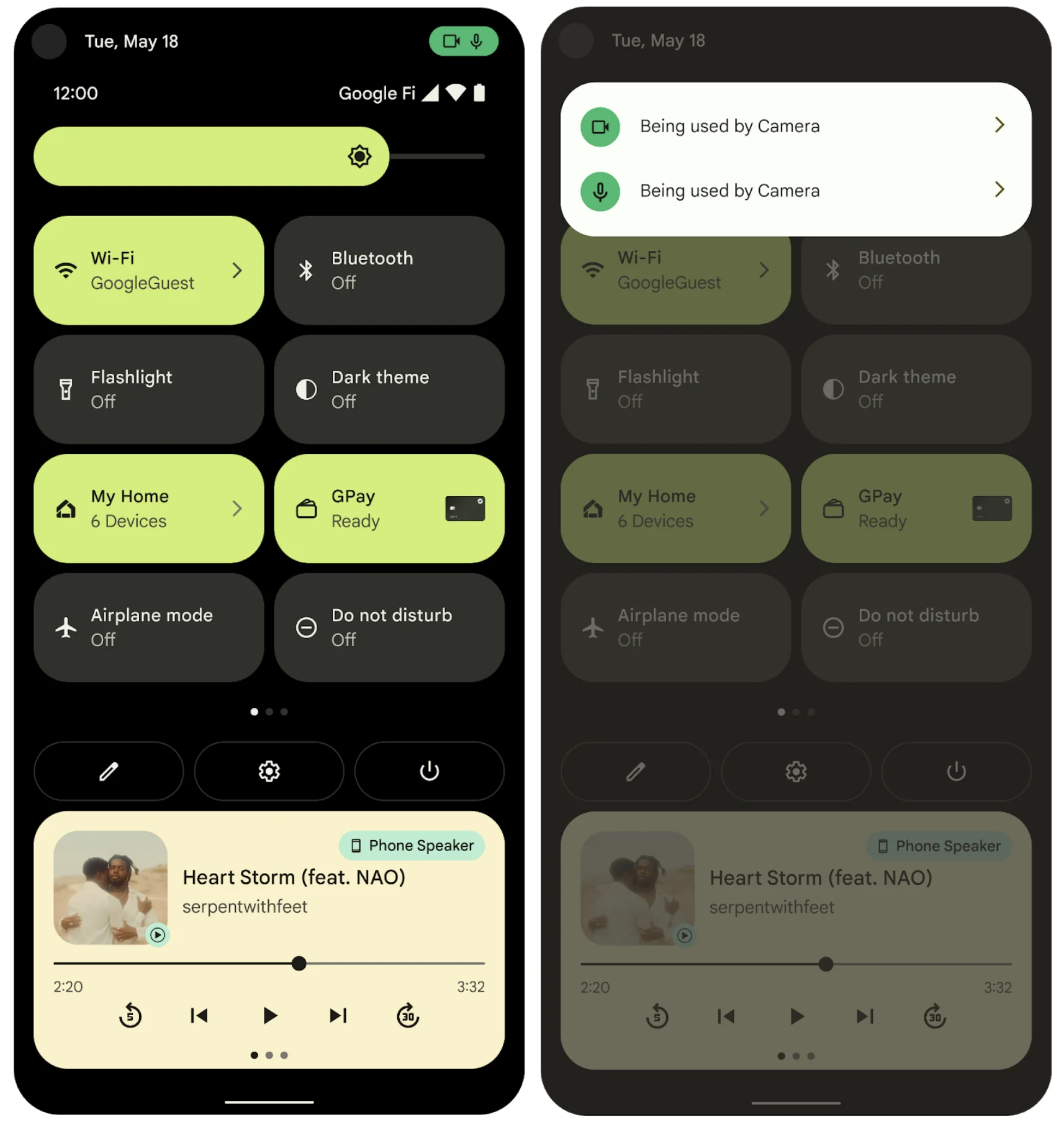
Starting with Android 12, a green dot (Privacy Indicator) appears at the top of the screen when the camera or microphone is in use. This is a privacy protection feature.
Problem with Traditional Flashlight Apps:
- Using camera permission causes the green dot to appear every time the flashlight is turned on
- Users feel anxious: "Why is the camera on?"
- Even if not taking photos, the system detects camera access
Safe-Life's Differentiation:
- Does not use camera permission, so no green dot appears
- No privacy warning when turning on the flashlight
- This is visible proof that you can truly trust the app
Supported Android Versions
- minSdkVersion: 24 (Android 7.0 Nougat). That is above API 23, where
setTorchMode()was added, so every supported device can turn on the flashlight without CAMERA permission.
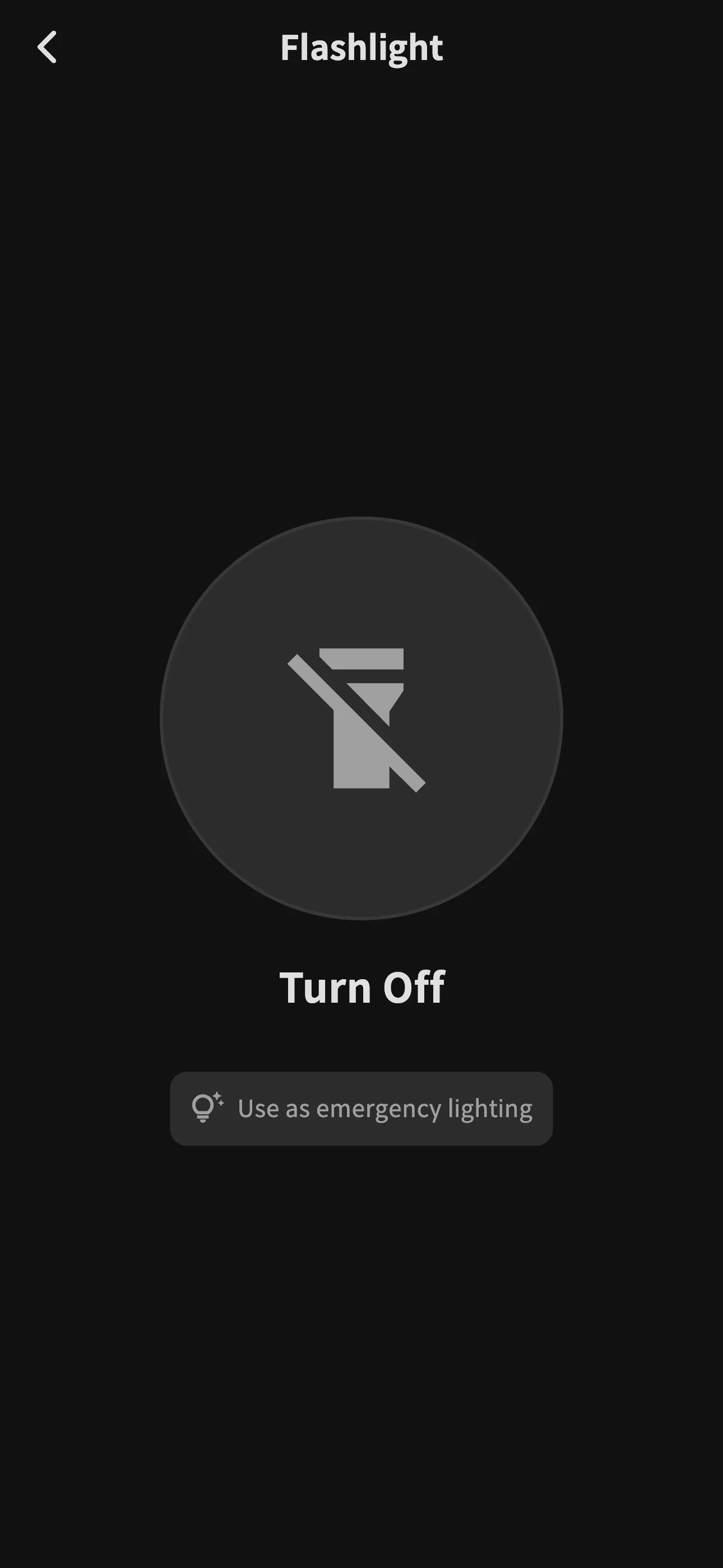
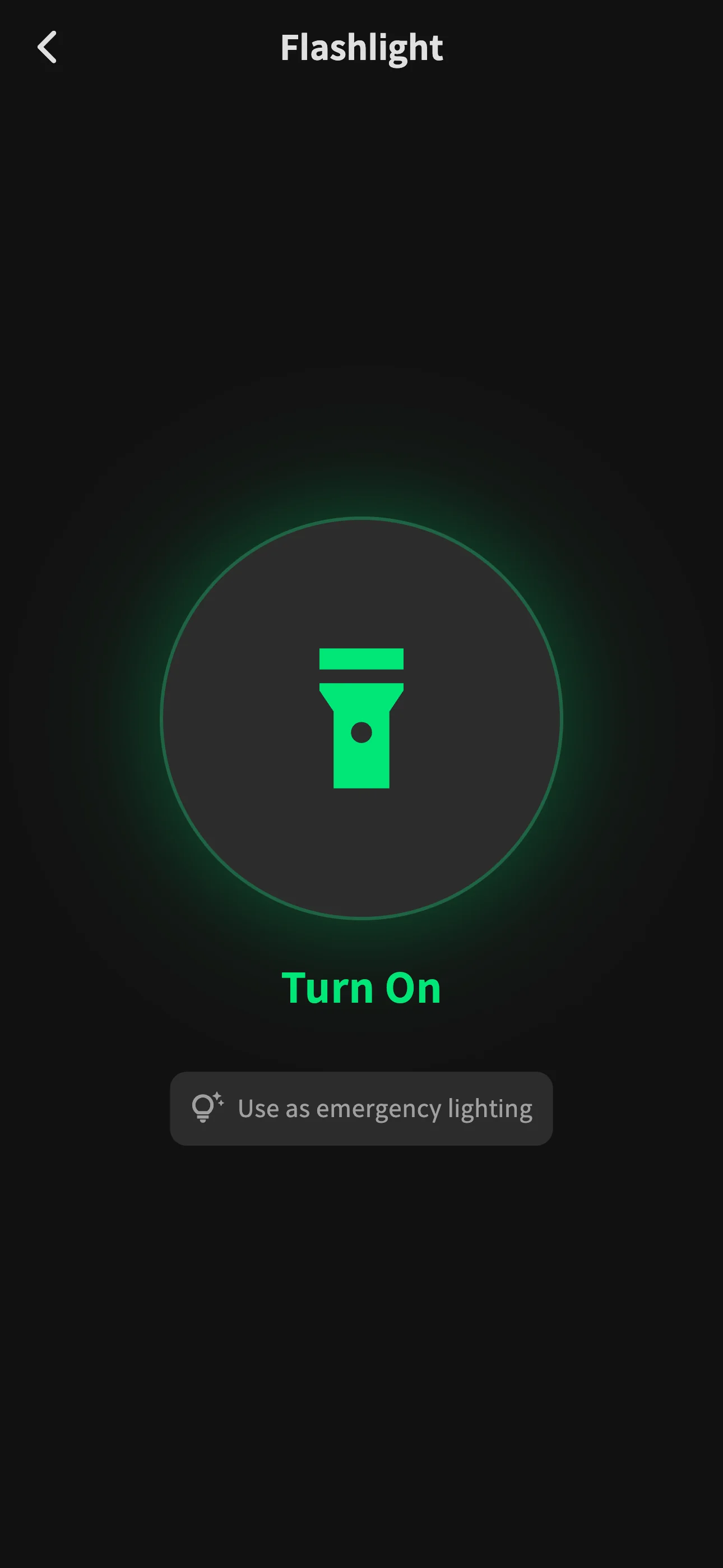
Below is the actual Safe-Life app flashlight screen. It works immediately without camera permission request.
Frequently Asked Questions (FAQ)
Does Safe-Life really not request camera permission?
Yes, that's correct. Safe-Life only uses the android.permission.FLASHLIGHT permission, which is a Normal protection level permission automatically granted without user approval. When you install the app or turn on the flashlight, no camera permission request popup appears at all.
Does Safe-Life's flashlight feature take photos?
Absolutely not. Safe-Life does not request camera permission, so it cannot access camera hardware. The CameraManager.setTorchMode() API can control the flash without opening the camera, making photo or video capture technically impossible.
Is there any risk of personal information leakage?
Safe-Life requests zero Dangerous permissions. It does not request any privacy-related permissions such as CAMERA, LOCATION, READ_CONTACTS, or RECORD_AUDIO, so the risk of personal information leakage is fundamentally blocked.
Why do other flashlight apps request camera permission?
Other apps request camera permission for three main reasons:
- Legacy Support: To support Android 5.x and below
- Additional Features: To provide QR code scanning, photo capture, etc.
- Excessive Permissions: Developer's incorrect implementation or data collection purposes
Safe-Life only supports Android 7.0 and above, and provides only flashlight functionality without additional features, so camera permission is completely unnecessary.
Why does a green dot appear at the top of the screen when I turn on the flashlight?
On Android 12 and above, if a green dot (Privacy Indicator) appears at the top of the screen when turning on the flashlight, that's evidence the app is using camera permission.
The green dot is a privacy warning automatically displayed by the system when the camera or microphone is in use. If this dot appears while only using the flashlight:
- The app is accessing camera hardware
- Photo/video capture is technically possible
- You cannot trust the app's actual behavior
Safe-Life does not show the green dot when turning on the flashlight. This is visible proof that it does not use camera permission.
How can I check and manage app permissions on Android?
You can check and individually allow or deny permissions used by each app in Android Settings > Apps > Permissions. On Android 12 and above, you can also view usage history of camera, microphone, and location permissions through the Privacy Dashboard.
Summary
Here's a summary of flashlight apps and camera permission:
| Item | Description |
|---|---|
| Hardware Architecture | LED flash is hardware integrated into the camera module on Android |
| API Design | Android 6.0+ provides flash control through CameraManager.setTorchMode() API |
| Permission System | setTorchMode() works without CAMERA permission |
| Safe-Life Implementation | Does NOT request CAMERA permission, strictly adheres to principle of least privilege |
| Transparency | Permissions and their purpose listed in the privacy policy; no photo or video data collected |
Flashlight App Selection Guide
When choosing a flashlight app, check the following:
-
Permission Request: Does it request CAMERA permission?
- Does not request: Adheres to principle of least privilege
- Requests: Check if additional features or legacy support is needed
-
Android 12+ Privacy Indicator Check: Does a green dot appear when turning on the flashlight?
- Does not appear: Not using camera permission (safe)
- Appears: Using camera permission (caution)
-
Additional Features: Does it have QR scanning, photo capture, etc.?
- Verify if you need these features
-
Developer Transparency: Does it clearly disclose permission usage purposes?
- Is it open source?
- Does it have a clear privacy policy?
Safe-Life:
- Does not request camera permission
- No green dot when turning on flashlight (visible proof)
- Protects user safety and privacy through principle of least privilege
Footnotes
-
Android Open Source Project: camera_module Struct Reference - "Turn on or off the torch mode of the flash unit associated with a given camera ID" ↩
-
Samsung LED: Mobile Flash LED - Official Samsung mobile camera flash LED module page ↩
-
Android CameraManager API Reference -
setTorchMode(String cameraId, boolean enabled)method sets the torch mode of the flash unit without opening the camera device (added in API level 23) ↩ ↩2 ↩3 -
Android Manifest.permission Reference - Official Android permissions list ↩
-
Android Permissions Overview - Explanation of differences between Normal and Dangerous permissions ↩
-
Personal Information Protection Act - Article 3 (Obligations of personal information processors), Article 15 (Collection and use of personal information) ↩
-
Korea Communications Commission: Smartphone App Access Permission Privacy Protection Guidelines (2017) - Specifies obligation for app service providers to distinguish between essential/optional access permissions ↩ ↩2
-
Google Play: User Data Policy - Disclosure requirements for user data access, collection, use, and sharing ↩
-
Google Play: Permissions and APIs that Access Sensitive Information - "Apps may only request permissions and APIs that access sensitive information that are necessary to implement current features" ↩
-
GDPR Article 5: Principles relating to processing of personal data - Purpose limitation principle ↩
-
GDPR Article 13: Information to be provided - Data controller's obligation to provide information ↩
-
FTC: Android Flashlight App Developer Settles Charges (December 5, 2013) - US FTC press release: Sanctions against "Brightest Flashlight Free" app developer (Goldenshores Technologies, LLC) ↩
-
FTC: Final Order Approved (April 8, 2014) - FTC final order approval against flashlight app developer ↩
-
AjuNews: Free Flashlight Apps 'Serious Privacy Leaks' (November 7, 2014) - "The flashlight app with the most users, downloaded by 10 million people in Korea alone, also secretly collected smartphone location information" ↩
-
Hankyung: Flashlight App Privacy Breach (November 7, 2014) - "The moment the app is turned on, it extracts user location, SIM chip unique number, and even recorded personal schedules, and this personal information is transmitted to overseas advertising marketing company servers" ↩
-
Act on Promotion of Information and Communications Network Utilization and Information Protection, Article 22-2 (Korean) - Korean Law Information Center, added 2016-03-22 ↩