Converting an Apple Developer Account from Individual to Organization as a Sole Proprietor
TL;DR
- Apple's public pages tell sole proprietors to enroll as individuals, yet I enrolled as an individual, emailed Developer Support, and had the membership converted to an organization under my D-U-N-S legal name,
devrives. - The D-U-N-S Number took 6 days (September 15-21, 2026) and Apple's conversion took 3 days (October 13-16), with no second membership fee and no change to the expiry date.
- Support warned that Certificates, Identifiers & Profiles is unavailable during the conversion and that the seller name becomes the legal name and cannot be changed later.
- The App Store seller name only switches after the Business step in App Store Connect, which was still open on October 16.
I run a sole proprietorship in South Korea, and I converted my Apple Developer account from individual to organization. I enrolled and paid as an individual, emailed Apple Developer Support, and three days later, on October 16, the membership was converted to an organization account under the legal name devrives. Because the existing individual membership was moved rather than replaced, I did not pay the annual fee again and the expiry date stayed the same.
This is worth writing down because Apple's public guidance points sole proprietors the other way. The enrollment help page says: "If you are a sole proprietor/single-person business, you must join as an individual and your legal name will appear as the seller." The D-U-N-S page also tells sole proprietors to enroll as individuals. What follows is one case in which Support checked an English copy of my business registration certificate and my ID and then accepted the organization enrollment. I can't promise it works the same way for every sole proprietor, so treat it as a reference and ask Support before you start.
Why I wanted a different seller name
Every app on the App Store shows a seller name, and with an individual membership that is the developer's legal name. I was preparing the iOS version of my Android app Safe-Life and wanted the business name in that spot before the first app went live.
Timeline: D-U-N-S request to membership assignment
| Date (2026) | What happened |
|---|---|
| September 15 | Requested a D-U-N-S Number from D&B (Dun & Bradstreet) through the D-U-N-S lookup page on Apple's developer site; verified my email |
| September 21 | D-U-N-S Number issued with the legal name devrives, along with a note that Apple could take 24-48 hours to see it |
| October 13 | Enrolled in the Apple Developer Program as an individual and paid. The same day I asked Support whether a sole proprietor could enroll as an organization so the business name shows as the seller |
| October 14 | Support explained the conditions for converting. After I sent my website address (devrives.com) and asked to go ahead, an email arrived listing what is needed to transfer to an organization |
| October 15 | Submitted the organization enrollment, verified the work email, passed the D-U-N-S check. Was asked for a photo ID and an English copy of my business registration certificate, uploaded them and got a receipt confirmation |
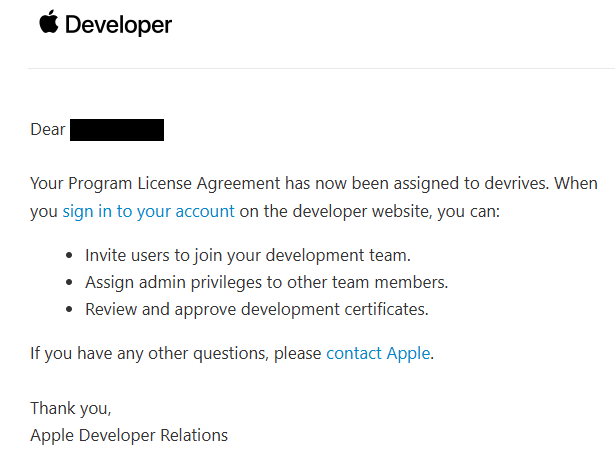
| October 16 | Enrollment accepted, Program License Agreement accepted, membership assigned to devrives |
The D-U-N-S Number took 6 days from request (4 business days). Apple's D-U-N-S page says to allow up to 5 business days for D&B to issue the number, and up to 2 business days after that for Apple to receive the information from D&B.
Six things to have ready
Apple's organization requirements combined with the documents I was actually asked for:
- A D-U-N-S Number. Apple uses this nine-digit number to verify your organization's identity, legal entity status and address. D&B assigns it, and Apple's enrollment help says it is free in most jurisdictions. I requested mine through Apple's lookup page (
developer.apple.com/enroll/duns-lookup/, sign-in required), which checks whether your organization already has a number and lets you submit your details to D&B if it doesn't. - An English copy of your business registration certificate. Requested together with a photo ID during enrollment.
- A photo ID. Requested together with the business registration certificate.
- A public website on a domain tied to the business. Apple says the website must be publicly available and functional and its domain associated with your organization; social media pages, sites with minimal content and domain registrar placeholder pages are not accepted.
- An Apple Account with two-factor authentication. Required for both individual and organization enrollment.
- A work email on that domain. Apple says your work email needs to be associated with your organization's domain name. I received a verification email at this address during enrollment.
Use the legal name from the D&B email, exactly
When the enrollment form asks for the organization name, type the legal name exactly as it appears in the D-U-N-S issuance email, which gives the same instruction. Apple states that it does not accept DBAs, fictitious businesses, trade names or branches, only the legal entity name, so use the name registered with D-U-N-S rather than the way you usually write your business name.
Will this work outside Korea?
I can only speak for a Korean sole proprietorship. What mattered in my case was that D&B listed devrives as the legal name on the D-U-N-S record. Apple's pages say it does not accept DBAs or trade names, so if your record shows a DBA or trade name rather than a legal name, I can't say the same route is open to you. Look up your D-U-N-S record first and check which legal name it shows, then ask Support before you start.
What worked: an email to Developer Support
Apple's enrollment help page says only that if you enrolled as an individual and need to convert to an organization account, you should contact Apple. I used Contact Us on the developer site, under the Membership and Account category, with the topic for updating account information.
The advisor walked me through each step, and one warning given in advance helped the most: a sole proprietor may see a D-U-N-S warning during organization enrollment, and if that happens, reply to the email for help. Apple's D-U-N-S page explains that enrollment can show Your organization is not listed as a legal entity. when the business is listed with D&B under a different legal status, such as a sole proprietorship, or its status has not been verified, and it then tells sole proprietors to enroll as individuals. In my case the D-U-N-S check passed on October 15. Hit without an open support case, though, it looks like a dead end, so start the organization enrollment only after Support has replied.
The automated email listed more than Support asked for
The automated email about transferring to an organization also listed things like employment verification and certificates meant for other kinds of organizations. The advisor actually asked only for the two documents above. Before you spend time gathering everything on that list, ask the advisor what they need. I uploaded the files on the developer site's file upload page (developer.apple.com/contact/file-upload).
Read this before you start the conversion
Support sent me this before the conversion.
| Item | During and after the conversion |
|---|---|
| Certificates, Identifiers & Profiles | Unavailable while the conversion is in progress |
| App Store Connect | Still usable |
| Apps already on the App Store | Not affected |
| Seller name | Changes to the legal entity name and cannot be changed later |
| Sales and Trends reports from the individual membership | No longer available |
| Earnings from before the conversion | Paid to the existing bank account; change the account before converting if you need to |
Since there is a window in which you can't create certificates or provisioning profiles, don't start the conversion in the middle of a release or update.
The last step: Business in App Store Connect
After the membership is assigned to the organization, the seller name on the App Store switches to the business name once you finish the legal entity tasks in the Business section of App Store Connect. As of October 16, that step was still open on my account.
Sources
All checked on October 19, 2026.
- Apple Developer Program enrollment: requirements for individuals and organizations, legal entity status, D-U-N-S Number, website and work email
- Program enrollment help: "Can I enroll as an individual and have my organization's name appear as the seller on the App Store?" (sole proprietors, converting an individual account), no DBAs or trade names, D-U-N-S free in most jurisdictions
- D-U-N-S Number help: up to 5 business days from D&B, up to 2 business days to reach Apple, the legal entity message and how to correct a D&B listing
FAQ
What should I do if enrollment shows Your organization is not listed as a legal entity.?
Apple's D-U-N-S page says sole proprietors/single person businesses should enroll as individuals, and that if you believe your business should be listed as a legal entity, you should have your business registration documents ready and email D&B.
Is it the same for an incorporated company? A company is a legal entity in Apple's terms, so enrolling as an organization from the start is the official route. This post covers a sole proprietor who enrolled as an individual first; if your business is incorporated, start with the organization steps on the enrollment page.